Showing posts with label Useful apps. Show all posts

CallRecorder

This program records phone calls from the phone line on some phones. Such recording is not usually available out-of-the-box, it needs hardware support in your OS kernel and root access. If you have an HTC device, you're in clover if you've got a custom ROM. Otherwise, please visit the xda site, there're plenty. Basically any device is supported, provided that it's based on a Qualcomm chip, say, their Snapdragons, etc. If your device has no such support, the program still records phone calls, but you need to select Android API in preferences and the recording will most likely proceed from the mike, not from the line. Please feel free to make any comments or send suggestions.
For more information please read thread on xda-developers.com - http://forum.xda-developers.com/showthread.php?t=1441643 (also trial version is available)
The list of supported devices:
Requires the kernel with 2-way call recording patch and ROOT permissions:
- HTC Desire
- HTC HD2
- Google Nexus One
- HTC Desire HD
- HTC Desire Z
- HTC Desire S
- HTC Incredible S
- HTC Thunderbolt
- HTC Sensation
- HTC EVO 3D (CDMA)
- HTC Hero
- HTC Wildfire
- ZTE Blade
- Sony Ericsson XPERIA ray
- Sony Ericsson XPERIA arc
 - Samsung Galaxy S II X (SGH-T989)
- Galaxy Nexus (alsa required)
- Samsung Galaxy R (alsa & Chinese kernel required)

Use standard API for recording (may record from the mic):
- Samsung GT-I9100 Galaxy S II (Doesn't work on Android 4 ICS, Preferences: Audio source - voice uplink, and voice downlink when BT headset is connected(it will record only other side, but it's better then nothing))

Permissions:
DIRECTLY CALL PHONE NUMBERS - necessary for Call Confirm feature

Download


Smart RAM Booster Pro

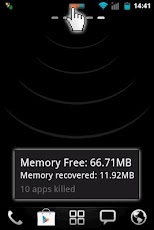
The most beautiful part of this app is a small, configurable widget that places on top of any app and one-click to RAM boost.
Recommended by AddictiveTips.

Hotest Apps by AppBrain.

Most of Android devices bundle with limited memory. Android task manager will selectively kill low priority tasks in order to reserve memory to higher priority task. That’s not always run at an appropriate time, causing low responsive apps, lagging, especially when you launch a new app after heavily browsing web pages. It causes a worse experience.


How RAM Booster works

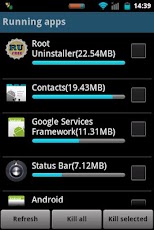
RAM Booster is designed to overcome these issues by selectively kill less important apps that are running in the background but consumes considerable device’s memory.
RAM Booster comes with auto-boost in 4 levels: aggressive, strong, medium, gentle.
☆ Aggressive: kill most of low priority apps

☆ Strong: Kill apps that is low priority as well as consume lightly below an “average”
☆ Medium: kill apps that consumes memory above an “average”
☆ Gentle: kill only apps that uses considerable memory

“Average” is evaluated real-time based on running apps and change over time.
How to work RAM Booster
There are 5 ways to boost

☆ Auto-boost: boost automatically under RAM available & timing conditions
☆ Overlay widget – Enable RAM Booster overlay widget (on by default), adjust widget’s position, and tap on widget to boost anytime you want
☆ Home screen widget – one tap to boost (long-press your home screen>Widget to add RAM Booster widget)
☆ Notification bar – one tap to boost (toggle notification bar visibility in app’s setting)
☆ Boost Now – tap this button from app’s main screen

Tool:

☆ 1-click cache cleaner


There are plenty options from app’s settings to twist boosting process:
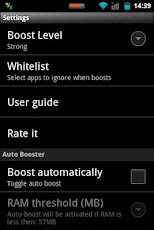
☆ Boost level: select a boost level
☆ Nice themes at your choice
☆ Whitelist apps: apps will not be killed when boosting
☆ Boost automatically: auto-boost, come with minimal RAM threshold and Boost interval
☆ Report style- define how to show reports
☆ Feedback- a haptic feedback when touch on boost widget
☆ Overlay widget position/size - Change overlay widget position/size
☆ Overlay widget transparency- Change transparent/opaque level
☆ OnClick/OnLongClick options for overlay widget

Download

Andy - Siri for Android (Full)

Andy. The answer to all your questions!
This is a full and advertising free version of Andy (Siri for Android).
This version has no daily limit on number of questions you can ask and it comes with additional functionality, such as Bluetooth (A2DP), shake recording and access to question database. All this is missing in a free version of Andy.

About Application: 
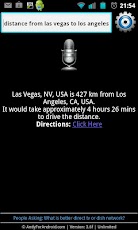
Andy is a voice controlled access to encyclopedic information on a vast array of topics. Ask anything. Andy covers culture and the arts, biographies and persons, geography and places, society and social sciences, history and events, natural and physical sciences, technology and applied science, religion and belief systems, health, mathematics and logic, philosophy and many other topics.

You can also ask about weather and time in any city, get answers to algebra questions, conversions, or simply ask any question just like you would do a search online.
To ask a question, tap the microphone button on the application home screen. Alternatively, you may give your device a little shake (this requires enabling the Shake Recording option) or simply type in your question manually to get the answer.

One of Andy's great features is its design to work with Bluetooth headsets (A2DP only, must pair with at least one device). Andy (using your Android phone or tablet) will recognize your voice and speech, search the Internet for the best answer, and read it back to you in a clear voice. The answer will also be displayed on your device screen.
Additionally, Andy can send text messages, initiate phone calls, give you directions and do distance measurements, time range measurements and a lot more.

Download


Features:
• No ADS
• Profiles
• Set Mode(From widget too): Silent, Vibration & Normal.
• Tone picker for Ringtone, Notification and Alarm
• Sounds while adjusting volume
• Widgets with volume levels and profiles
• No battery drain
• Bluetooth volume
• Ringer volume
• Notification volume
• Music volume
• Alarm volume
• Voice Call volume
• System volume

Planned upgrades:
• Custom Icons for Profiles
• Scheduler
• Big widget
• Auto switch profile on Headphones plug
• more...

Tags:Volume Control Audio Manager Sound Settings Toggle Profiles

What's in this version:
Version 2.7.6
• Added Russian and Czech localization.
• Minor text adjustment.


Download


Are you running out of application storage?
You now can get more available storage space by clearing apps created cache/data files.

Auto or 1-tap to clear all app created cached files and the best is you don't have to ROOT the phone anymore! This app is crucial to anyone who has memory management issues.
★ auto clear all cached files at a specified interval
★ 1-tap to clear all cached files
★ clear cache for a specified application
★ notify you on startup if apps used cache size large than 500K bytes
★ list applications by either cache, data, code, total size or app name
★ view application on Market
★ uninstall application
★ open application
★ show application details page

Same functionalities as "1Tap Cache Cleaner Free" app, but Ad removed.
To clear all cached files, please tap "Clear all cached files" button from the main window, or tap MENU > Clear all cached files.

Tap the application item from the main window, you can clear the cache or data files for a specific app. Long-press the application item will show you more options.

By default, the main window sorts installed applications by used cache size. To sort the list by app name, please tap MENU > Sort by name. You can also sort the list by data, code or total size by changing MENU > Settings > Sort by size option.
The "Clear all cache" function may not work for all Android devices. Please send me the phone model, Android OS version information if it does not work on your device.

Users report the following devices do not support the "Clear all cache" function:
* HTC Thunderbolt

What's in this version:
v1.53
Spanish localization


Download

Gallery Lock Pro

Hide Pictures/Videos!
Selected as the App of the Year by Times Magazine!
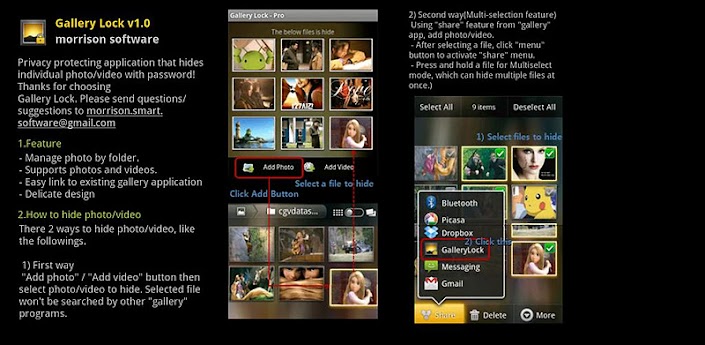
Gallery Lock manages photos and videos by individually hiding them and it is an app that is absolutely needed for protection of personal privacy. The product is one of the most popular apps in the world and is one of the top 10 apps sold on Google Market.

Features
• Management of photos by individual folders
• Can be used for both photos and videos
• Can be conveniently used with other gallery apps
• Stealth mode provided (a function that hides the icons)
• Beautiful designs
• Pattern lock provided

# (Important!) Before deleting the Lite version, undo the hide function of the photos and the videos. If you uninstall the program without undoing the hide function, the photos and videos will be lost.

# Google will make a pre-charge of $1 the first time a transaction is made on Google Market to verify the information on your credit card. This can be misunderstood as being charged twice but there is no need to worry as this pre-charge will not appear on your monthly statement.

# It is recommended that you purchase the app after checking to see if the free assessment Lite version runs properly.

# "Outgoing Call" permission is needed for Stealth Mode
# Method to recover photos when problems occur
If for some reason Gallery Lock does not run, recovery can be made by following the method below.
1) Uninstall Gallery Lock
2) Download Gallery Lock from the Market and install it.
3) Go Setting in the Gallery Lock, Tap "Find/Recover Missing files" menu.
4) The missing files will be recovered to /mnt/sdcard/DCIM/recover path.
5) run default Gallery application and check whether those files are recovered properly.

Download

Relax Melodies Premium

Try Relax Melodies Premium for your Android today!
Relax Melodies Premium, the leader in personalized relaxation and sleep assistance, is now available for your Android Phone! No more insomnia for you, tension is a thing of the past at any moment! Just custom mix your favorite high quality sounds from a selection of 82, then slip naturally into a relaxed state or a deep, rejuvenating sleep. This is the ultimate relaxation experience and it's super easy to use!
FEATURES:
* Sound background support. Relax while using other apps! 

* Mix your favourite sounds together with different volume to create your own personal melodies 
* 82 High quality ambient sounds including 6 binaural beat frequencies for brainwave entrainment. 
* Timer system to stop the melodies when you go to sleep
* Individual sound volume adjustment
* Save, name and replay your favorite mixes easily 
* Complete and easy to follow help screen

Get the most personalized relaxation experience it’s possible to have. With just a few taps, you can create the exact MELODY that resonates perfectly with you. With ambient and binaural selections, you can choose whether to simply relax or tell your brain that it’s time for sleep. It can even help your baby fall asleep faster!
Download it now and become one of the million relaxed users of Relax Melodies. You’re going to love how it will help you relax, meditate and sleep.
Download

FTL Launcher Pro

FTL Launcher - Break all rules, go Faster Than Light!
The Faster Than Light Launcher, Pro Edition

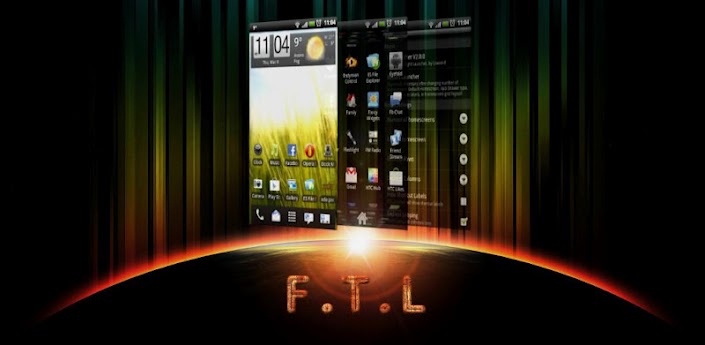
Make no mistake, this is the fastest launcher you'll ever run. Small, light, configurable. The Gingerbread launcher as it should have been. No useless stuff, no compromises. Performance and usability are the driving forces here.

On version 3.0 Pro users have a all new game to play now: The Pro version can use existing ADW, GoLauncher and LauncherPro Icon and Dock themes, giving FTL and unprecedented array of possible theming. You can even mix Dock and Icon themes from different launchers. Google Play is yours for the take.
And of course you still have the other extras: configurable homsecreen grid from 4x4 to 6x6, resizeable widgets, and, never seen in any launcher: control over core Android window animation speed.
Important: FTL supports all resolutions and ICS, but only 800x480, 854x480, 960x540 and 480x320 devices have 3D drawer enabled! Also ICS has no 3D drawer because it does not contain the "old" opengl interface. But as it is natively accelerated anyway, 2D drawer should be very fast.
Features:
- Theming support: The Pro version can use existing ADW, GoLauncher and LauncherPro Icon and Dock themes, giving FTL and unprecedented array of possible theming.
- Tweaked for extreme speed and smoothness
- Fully accelerated 3D Waterfall app drawer
- Option to use "normal" 2D app drawer
- Configurable support for resizeable widgets: only when adding them to the homescreen, you cannot edit them later.
- Configurable Homescreen grid: From 4 to 6 rows, and 4 to 6 columns
- Configurable number of homescreens: from 1 to 9 with configurable default homescreen
- Choice between 3 and 5 icon Dock
- Configurable Dock icons size
- Configurable "swipe down" and "swipe down" independently to any of the following:
*show homescreen previews
*open app drawer
*hide status bar
*show and hide status bar
*open and close dock bar
- Includes anim speed: precise control over core Android windows/transition animation speed
- Configurable Support for launcher auto-rotation
- Configurable Infinite looping of homescreens
- Configurable support for scrollable widgets
- Configurable bounce effect on homescreen transitions
- Configurable wallpaper scrolling
- Configurable transition speed of homescreens


Basic Instructions:

- On first boot, homescreens will be empty. Long-press anywhere and start adding stuff!
- You can add/change the shortcuts on the dock bar: Long-press the place you want, and wait for the a popup to show, allowing you to choose what activity you want there.
- You can uninstall apps directly from the homescreen: long press the shortcut (even in the app drawer), drag it to the trash can that appears where the dock was. If you drop it immediately FTL will only remove the shortcut, but if you wait a bit before droping, FTL will offer to uninstall the app.

Try it, you won't regret it!
Download

ezPDF Reader

ezPDF Reader is the Best Selling and the Best Rated Multimedia PDF viewer, annotator (palm rejection for Samsung s pen and HTC scribe pen), and form filler.
Over 350,000 sold! Thank you.
If you are interested in testing out our app, please send us an email to android(at)unidocs.com for a TRIAL VERSION.
Please leave your comments and review. For the bug reports, suggestions, volume sales, and business inquiries, please send us your email to android(at)unidocs.com
Brief User Guide: http://goo.gl/wP9UC
App Review
"Plenty of PDF readers are available for Android devices, and a number of them are free. But ezPDF is by far the best of the bunch." Daniel A. Begun, author of Amazing Android Apps For Dummies
Customized Viewing
Clearly presented without the fluff, documents appear as they would on your PC, but customized to fit your mobile device's screen. Scanned and text based PDFs are all supported, including JPEG2000 and JBIG2 compression. Select Text Reflow, Fit to Text Column, Copy and paste text in PDF view and bookmark as you go or Change Reading Direction to ease reading
PDF Form Filler
Good for application forms, school tests, and contracts. Fill out your PDF form with ezPDF Reader. Sign with Freehand, and send via email.
Multimedia PDF Viewer - Audio, Video, and TTS (using device's built-in Text-to-Speech feature)
It also plays multimedia files embedded into PDF. Perfect solution for PDF based audio/video-enabled Ebooks, such as children's books and instructional manuals. (Multimedia file format must be compatible to your Android device, However, no support for Flash) Use Voice Reading feature to have documents read to you with the continuous automatic page-turning feature. (It uses TTS feature of the hardware settings)
Annotation Features on PDF - No need to print for marking
Useful tool to add text in text box and sticky notes; highlight, underline, or cross out texts; draw rectangles, ovals and freehand drawings. Add memo & append images from camera shots or galleries, change color / thickness, resize and move them around as you like. All these comments are compatible with  Adobe® Acrobat®. (PC or Mac version)
Please download "ezPDF Reader Cloud Plugin" App for uploading and downloading files between Google Docs & ezPDF Readeer.
More Features
- Text View with reflow function. Night / Day Mode, Able to change font size and color (text and background)
- Thumbnail image view
- Landscape view OK
- Search (Options for case sensitive, whole word or part, exact word, and/or operator) and highlighted result
- Auto Fit Zoom for multi-column article or removing white margin
- Crop or Rotate page
- Scroll lock / unlock
- Able to select text in PDF, save to clipboard, web search, share with other apps, check with dictionary (Support ColorDict)
- Support hyperlinks (Go to page within the PDF, Call PDF to PDF, URL links to webpage)
- Open Standard Password-protected PDF (Important! If the file is protected with the DRM applied to PDF file, this would not open the file.)
- Intuitive bookmarking & viewing bookmarks with its description and ribbon & thumbnail image
- Auto Page Turn (in secs) or Auto Scroll (up a screen full) 
- Table of Contents
- Zoom in & out (Pinch or double tap)
- Page navigation with thumbnail scroll images
- Jump to a specific page by its Page Number
- Able to change reading direction - Arabic, Chinese, Japanese & Hebrew
- Undo & Redo button
- Support Trackball
- Page Turning Effect (Flip); Can be turned off
- FREE PDF Conversion Program for PC (link to download)
- 5-point-tap : Annotation Tool On or Off
- 4-point-tap : Notification Bar On or Off
- 3-point-tap : PDF view or Text Reflow view
- 2-point-tap : Reduces the page to fit the width when enlarged
- 1-point-tap : Toggles Menu On or Off

Download
LilyPad HD - floating chat

"LilyPad HD finally makes it possible to rid yourself of the full-screen chat client on your tablet for something far more practical." – AndroidPolice.com
"Tired of switching between apps to talk to friends while using other apps or surfing the Web on your Android tablet? LilyPad HD solves that problem." - CNET.com
"LilyPad HD is the type of tablet application I've been waiting for!" - PhoneDog.com
★★SPECIAL INTRODUCTORY PRICE! 50% OFF! NOW WITH MSN MESSENGER SUPPORT!!★★
LilyPad HD is the first floating instant messaging app for your Android tablet! 
With LilyPad HD, you can now have powerful multitasking capabilities just like on your desktop computer. LilyPad HD was designed to 'float' over all of your running applications. That means you can now watch a YouTube video, surf the internet, or use any of your other apps while simultaneously chatting with your Google Talk, MSN and Facebook friends!

LilyPad HD is now stable enough to shed its beta tag. We will still be fixing bugs and making it even more awesome in the upcoming weeks. If you experience any issues, please do not hesitate to contact us. We will get back to you within 12 hours or less! Please do not rate it poorly without contacting us. We promise to reply to all emails ASAP and address whatever issues we can.
★★Your satisfaction is our #1 priority! If you are not happy with LilyPad HD, then please email us and we will give you a FULL refund. No need to rate it poorly folks, we're not out to take your money :)★★
Features:
-Adjustable/resizable chat windows
-Quick Hide Mode: double tap action bar to enable quick hide mode
-Minimize chat windows completely
-Tabbed chatting for multiple conversations

★★We've decided to drop the in-app purchase model for LilyPad HD. All additional clients added will be available for FREE!★★
Client Supported:
-Google Talk
-Facebook Messenger
-MSN/Live Messenger

Upcoming client support
-Skype
-Yahoo
-AIM

Download

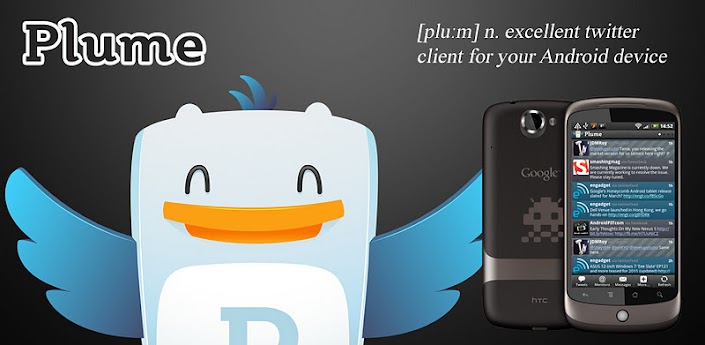
Plume Premium for Twitter

Plume Premium (formerly known as Touiteur) is a key that will remove the sponsored contents in the free version of our twitter client. You will experience Plume ad-free and will support further development!
Important Note: You need to KEEP Plume for Twitter installed, this application just remove the ads, and will not pollute your phone!
Enjoy!
Download

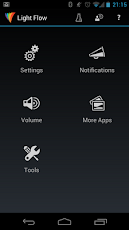
Light Flow - LED Control

Take control of your notifications. LEDs, vibrations, repeating sounds and more.
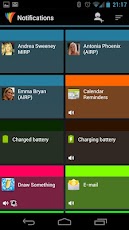
Light Flow allows you to take control of your notification LED colors and makes them successively flash one color after another.
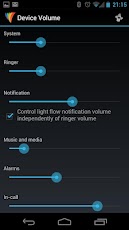
It also allows you to set repeating sounds on vibration patterns for you notifications. You can also set a "sleep" mode or "on charge" where the lights and/or sounds and vibrations will not be heard or seen. If you've come from a Blackberry device and miss the features of BeBuzz / BerryBuzz then give LightFlow a try!
This program will allow you to control the notification color for the over 250 applications and system events such as:
* Missed calls
* Voice mail
* Calendar reminders 
* gmail
* email
* SMS messages
* MMS messages
* Low battery
* No signal
* Google talk
* Facebook
* Twitter
...and many many more

Download

ZPlayer

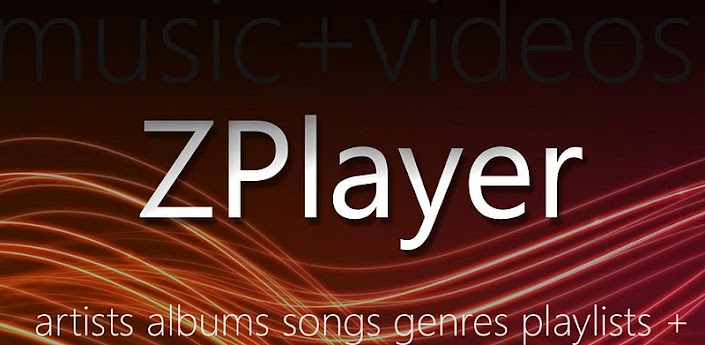
Windows Phone 7 / Zune themed media player for Android OS.
Welcome to ZPlayer a Windows Phone 7 / Zune themed media player. Zplayer has become a favorite of many music enthusiasts, who want more than the average music or video player on their mobile devices. It wears a Windows Phone 7 / Zune theme, and so keeps the minimalistic user interface, but incorporates more features into one application than any Android music player available!
ZPlayer offers:
•Music album reviews, artist biographies, artist top tracks, top songs, top albums, similar artists, similar albums, artist events*, song lyrics*, last.fm scrobbling, last.fm ‘now playing’ status updates, last.fm ‘likes’ submissions

•Video and Audio podcasts streaming and downloads, podcast searching, podcasts subscriptions, podcast resuming.
•Online radio streaming (with metadata), radio searching, radio favorites***
•Music library listening history, Automatic playlists (favorite songs, new songs), playlist creation
•ID3 Tag editing for songs and whole albums, album art editing*, ID3 tag information for songs, cross-playlist adding and removing of tracks,
•Video playback, editable ‘music videos’, and ‘movies’ directories
•Music weekly charts featuring top artists, top tracks, and track favorites of community users
•Browse the albums sections not in your library and even get the album prices, 30 seconds audio samples of tracks, and “Buy” links to the albums.
•Audio Equalizer, Bass boost, Virtualizer, Automatic EQ (based on track genre) **

ZPlayer now fully supports ICS, Status Bar+, and features 5 beautiful widgets, which give different functionality.
Cool features, including artist background images and panoramas, selectable background images (High memory devices)
Zplayer supports, English, French, Italian and Portuguese languages

+Swiping the homescreen to the left/right shows the 'current playing' song and listening history.
+To jump to the 'now playing' screen, use the volume controls to reveal the music controls, and then tap on the track or artist name.

* Feature under testing, second wave update
++ if you use a third party equalizer that controls the output mix for all media playing on the device, disable it before using this application. This application needs to control its own audio effects.
** For device sporting Android 2.3+
*** For devices sporting Android 2.2+

Download

Pencil Camera

Take pictures with amazing pencil sketch effect with realtime preview.
Be an artist for a while.
Take a pictures with amazing pencil sketch effect in realtime or apply it to photos from your gallery.
Really amazing application which you definately have to try. It's one of the must have app.

Join us on Facebook:

Now we have 11 outstanding effects and we call them:
- crayon'o'matic
- cartoonist
- concrete wall sprayer
- parchment
- canvas
- is there life on mars ? (sepia like effect)
- alien skin
- chalk world
- over the foil
- black pencil
- industrializer

Features:
- realtime artistict filters
- auto focus mode where available
- auto flash mode where available
- face camera where available
- application can be installed on SD card
- HD resolution support

Download