Doom GLES v1.09.2 (.APK)
10:06 PM Thursday, May 24, 2012.jpg)
Doom GLES v1.09.2 (.APK)
Requirements: Android 2.3
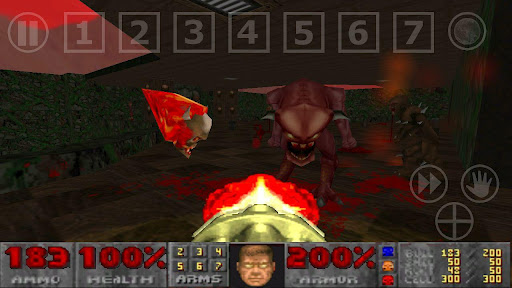
Overview: Fight demons in DoomGLES, the best looking Doom port on mobile devices.
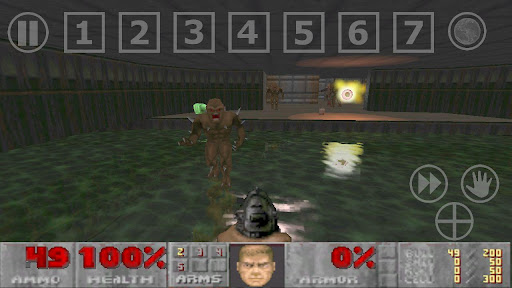
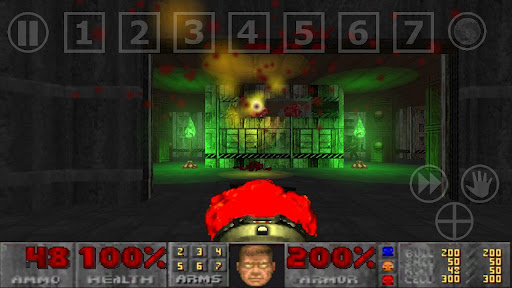
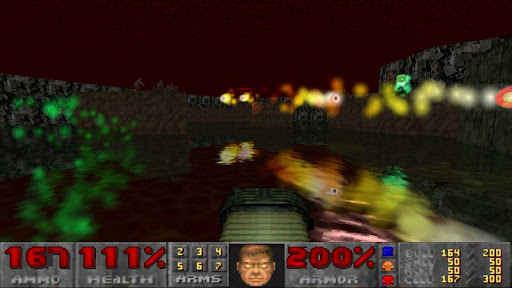
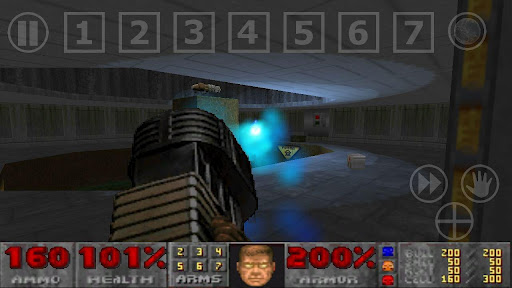


Info:
DoomGLES is the classic Doom(GL) ported to OpenGLES.
You are a space marine who fights hordes of Demons on Mars bases, Earth and Hell !
Features:
- High resolutions (on tablets or highend phones)
- Realtime dynamic lighting
- Particles effects
- 3D Monsters and objects (MD2)
- Blood projections
- Realistic water effect
- Xperia Play gamepad buttons (touchpads not supported yet, probably later)
- Keyboard support (USB, bluetooth, embedded)
- Gamepads support (analog sticks support on Android >= 3.1)
- Buttons mapping (Xperia Play / USB GamePads / Keyboard)
- And much more
Note for XPeria Play users:
- If you upgrade from V1.07 (or older) to V1.08 (or newer) and the gamepad doesnt work anymore, please remap controls from the "controls" menu, or simply delete /sdcard/kokak/DoomGLES/doomgles.cfg
Note:
- DoomGLES comes with Doom shareware datas.
- If you own (ultimate) Doom and/or Doom 2, copy the wad file (doom.wad or doom2.wad) in your device at this location: /sdcard/Kokak/DoomGLES/
- Then select, from the launch menu, Doom or Doom2 as IWAD. The OpenGLES datas will be downloaded.
Size of the downloaded datas:
- Ultimate Doom datas: ~100MB
- Doom 2 datas: ~185MB
- Plutonia datas: ~80MB
- TNT datas: ~70MB
- So please be patient while it downloads the datas...
- On some devices, the game may not launch after the datas have been installed. It is the case if the "Downloading Datas" waiting box disappears and the game doesn't launch after 30 seconds. Simply exit the game (home button) and relaunch it.
- For any download issue, please look at the faq: http://kokak.free.fr/android/DoomGLES.htm#faq, or contact creator directly.
- On the launch window you can choose various options, you can also add classic doom command line parameters (like "-warp episode map").
- To use a custom PWAD, copy it to your device in /sdcard/Kokak/DoomGLES/, copy converted datas in the same folder, and add on the command line "-file wadname.wad"
- To convert PWAD datas, see http://kokak.free.fr/android/DoomGLES.htm#howto
Read here to know how to control DoomGLES: http://kokak.free.fr/android/DoomGLES.htm#controls
What's New:
- After an alarm event, the game can be unpaused by displaying the main menu ("pause" icon)
- Xperia Play game Launcher support
- Doom 2 crashes fixed (map > 9)
- Full light bug fixed
- Save music volume bug fixed
Support Me: If u find this post really usefull,please 'click the ads once' to encourage me to post more great stuff on future!
Download:
MegaShare


.jpg)


Post a Comment